Porting a TradingView Indicator to MT5: What Breaks First
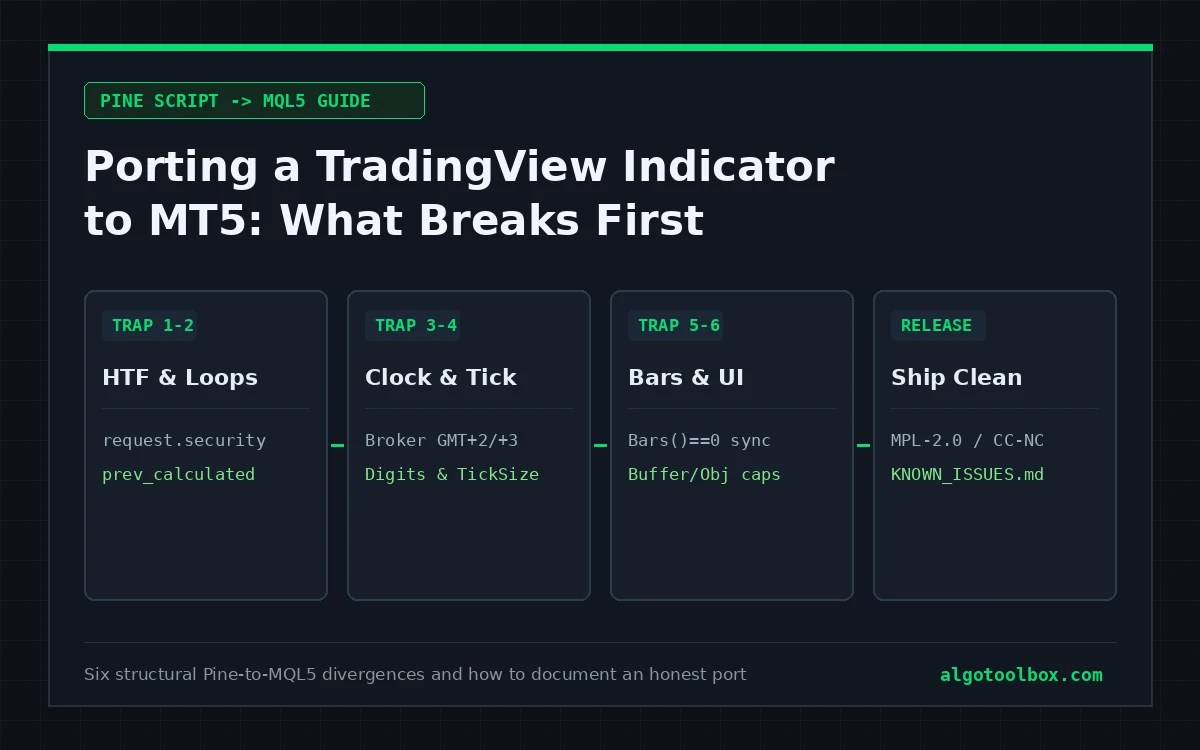
A port is not a syntax translation. When you port TradingView indicator to MT5 code, you are moving logic across two platforms that run on different price feeds, in different server timezones, with different assumptions about what a bar actually represents. A first build that compiles cleanly in MetaEditor and plots visibly different levels from TradingView is the normal starting point, not an unusual failure.
Everything below comes directly from maintaining the six open-source Pine-to-MQL5 indicator ports published on AlgoToolbox, each shipped with explicit compatibility or known-issues notes because cross-platform divergences are structural and ought to be documented up front.
What Breaks First, in the Order It Usually Bites
1. Higher-timeframe calls
Pine Script’s request.security() is the single largest source of cross-platform divergence. Depending on its lookahead and barmerge arguments (and how array/tuple expressions are wrapped), it will return either the live forming higher-timeframe bar or the last confirmed closed one.
MQL5 has no drop-in equivalent to request.security(). You either query the higher timeframe with CopyRates() / iHigh() / iTime() and map bar timestamps manually with iBarShift(), or aggregate higher-timeframe candles yourself from the chart’s timeframe. Neither matches Pine’s bar-alignment rules automatically.
What goes wrong: the MQL5 port reads index 0 (the incomplete higher-timeframe candle) where the Pine original read the last confirmed candle — or vice versa. Plotted zones shift by one higher-timeframe bar: hard to spot on a static screenshot, fatal to any rule built on top of it.
The rule: decide explicitly per higher-timeframe call whether the port reads the forming bar or the last closed bar, align timestamps deliberately, and record that choice in KNOWN_ISSUES.md or COMPATIBILITY.md.
2. Repainting and the prev_calculated boundary
Many Pine indicators evaluate on the live forming bar by design; others recalculate historical pivots or labels as new swings confirm. On MetaTrader 5, every incoming tick triggers OnCalculate(), and prev_calculated tells your loop how many bars were processed on the previous call. Mishandle that boundary in either direction and one of two bugs appears immediately:
- Recompute the entire history on every tick: chart plots stay fresh, but CPU usage spikes and the terminal stutters on deep histories.
- Recompute only the rightmost bar (
rates_total - 1): fast on every tick, but any logic whose past anchors update when a later swing confirms (zigzags, BOS/CHoCH labels, mitigated FVG boxes) leaves stale historical drawings behind until you reload the indicator.
What goes wrong: the port matches TradingView near the right edge of a live chart and disagrees everywhere to the left after an hour of ticks. Almost every time, that is a prev_calculated or object-cleanup boundary issue rather than a formula error.
3. Timezone and session boundaries
TradingView evaluates session windows and daily opens against the exchange timezone or an explicit timezone string in the script. MetaTrader 5 timestamps bars in broker server time, which varies across brokers and commonly sits at GMT+2 / GMT+3 (shifting with US or European daylight saving).
Every calculation tied to “daily open”, “London killzone”, “first H4 candle of the day”, or “weekly high/low” is now slicing candles on a different clock unless you convert timestamps explicitly.
What goes wrong: daily or session levels print at plausible prices on implausible bars, and you only catch it when you compare bar open timestamps side by side.
4. Symbol naming, digits, and point size
XAUUSD on one broker carries 2 decimal places (_Point = 0.01); on another it carries 3 decimals (_Point = 0.001), or trades under a suffixed symbol such as XAUUSDc or XAUUSD.raw. Any Pine constant written as a raw price offset or a naive multiple of syminfo.mintick can end up 10× too tight or 10× too wide when translated into MQL5 _Point units without checking SYMBOL_TRADE_TICK_SIZE.
Our 15M Gold Scalper documentation illustrates the related unit trap on cent accounts: a 10,000 USC initial deposit equals roughly $100 USD, so comparing raw currency outputs across symbols or account suffixes without checking contract specifications misleads readers immediately.
5. Asynchronous history availability
Pine Script assumes the bar series is already synchronized before your script runs. MQL5 does not — especially when a user first opens a symbol or switches timeframes. Calls to Bars() can return 0, CopyRates() or CopyBuffer() on a secondary timeframe can return -1 while history downloads, and a low Max bars in chart cap truncates long lookbacks.
What goes wrong: an indicator draws nothing on initial attach, then suddenly works after the user scrolls left or changes timeframes. Return 0 cleanly from OnCalculate() when history is still synchronizing so your next tick retries from a clean state, and log a clear message once rather than spamming the Experts tab.
6. Indicator buffer caps and chart object overhead
Pine lets a script spawn polylines, boxes, and hundreds of labels with minimal boilerplate. In MQL5, every plotted series requires a declared buffer count in #property indicator_buffers / #property indicator_plots (for instance, Liquidity Hunter MT5 Port uses 13 buffers: 8 plotted series plus 5 calculation buffers), and creating hundreds of unpooled OBJ_RECTANGLE or OBJ_TEXT objects drags chart scrolling to a crawl.
The fix: namespace every chart object with a unique prefix, cap historical object counts to a sensible lookback window, and clean up every owned object inside OnDeinit() so removing the indicator never leaves orphan boxes on the user’s chart.
Version Discipline: Making a Port Maintainable
Version numbers in MQL5 ports are operational records, not decoration. Reaction Level Matrix MT5 Port moved from 1.01 to 1.02 on GitHub specifically so users can tell whether a behaviour they observe belongs to an older snapshot or a current limitation. Keep the port’s MT5 version distinct from the Pine original’s revision number (for example, Liquidity Hunter is MT5 port 1.00 derived from Pine revision 2.0).
Every published port repository should state five facts in code and in root Markdown files:
#property versioninside the.mq5header matching the release tag;- the original script’s exact title, author handle, and URL;
- the licence governing both the original script and the MQL5 port;
- divergences introduced intentionally for MT5 performance or clarity; and
- unresolved differences or unvalidated surfaces (such as untested external EA buffer reads).
Licence and Attribution: Not Optional
FVG Sniper MT5 is an MQL5 port of the TradingView script by officialjackofalltrades under MPL-2.0; DiNapoli Levels MT5 ports MarkitTick‘s script under CC BY-NC-SA 4.0. Before you port TradingView indicator to MT5 and publish it anywhere, check the exact licence printed on the TradingView script page:
- Proprietary / invite-only / unlabelled closed source: do not port and publish it without written permission from the author.
- Mozilla Public License 2.0 (
MPL-2.0, TradingView’s current open-source default): permits modification and distribution (including compiled.ex5files), provided you preserve copyright/licence notices and make the corresponding.mq5source available to anyone who receives the binary. - Creative Commons
CC BY-NC-SA 4.0(TradingView’s earlier open-source default): requires visible attribution, forbids commercial use or paid bundling (NonCommercial), and requires derivatives to carry the sameCC BY-NC-SA 4.0licence (ShareAlike).
Equally important is honest framing: publish your page as documentation of your MT5 port, never as if you authored the underlying concept or carry the original creator’s endorsement. See our EULA and Our Builds stream for how we separate port authorship from original authorship in both visible bylines and page metadata.
A Pre-Publication Checklist for Any MQL5 Port
- Higher-timeframe
CopyRates()/iBarShift()calls explicitly locked to closed or forming bars and documented prev_calculatedloop boundary verified across live ticks and history reloads without orphan drawings- Session or daily boundaries checked against broker GMT offset rather than assumed UTC
- Price offsets scaled via
SYMBOL_TRADE_TICK_SIZEor verified point multipliers across 2-digit and 3-digit symbols Bars() == 0andCopyRates() < 0handled cleanly by returning0until history synchronizes- Chart objects prefixed, bounded in count, and deleted cleanly inside
OnDeinit() #property version, original author credit,LICENSE, andNOTICE.mdpresent in the repositoryKNOWN_ISSUES.mdorCOMPATIBILITY.mdseparating intentional design changes from unverified edge cases
Where to Go Next
- How to Install a Custom MT5 Indicator from GitHub — folder paths, F7 MetaEditor compilation, and Navigator troubleshooting
- Our Builds — all open-source MQL5 indicator ports and original tools on AlgoToolbox
- FVG Sniper MT5 and Liquidity Hunter MT5 Port — worked examples of documented Pine-to-MQL5 ports
FAQ
Will an MQL5 port ever plot identical values to TradingView on every bar?
Rarely tick for tick. Even when the mathematical formulas match, your MT5 terminal runs on your broker’s server-time candles and bid/ask history rather than TradingView’s feed. A trustworthy port documents its bar-close, lookback, and higher-timeframe rules clearly instead of promising identical pixels.
Why does my MT5 port repaint historical signals when the Pine version did not?
Check two places first: whether higher-timeframe calls are reading bar index 0 (still forming) instead of bar 1 (closed), and how your OnCalculate() loop uses prev_calculated when updating buffers or replacing chart objects.
Do I still have to credit the TradingView author if I rewrote the MQL5 code from scratch?
Yes. Translating Pine Script into MQL5 creates a derivative adaptation under open-source licences such as MPL-2.0 and CC BY-NC-SA 4.0, both of which require preserving attribution and licence notices. Proper credit takes five lines in NOTICE.md and prevents avoidable licence disputes.
Can I sell a compiled .ex5 of an open-source TradingView indicator?
Only if the original script’s licence allows commercial use and you satisfy every source-disclosure condition. CC BY-NC-SA 4.0 strictly prohibits commercial sale, whereas MPL-2.0 permits commercial distribution only if you preserve notices and provide recipients a route to the covered .mq5 source.
Why keep the main GitHub branch as .mq5 source instead of committing .ex5 binaries everywhere?
Keeping the main branch clean as human-readable .mq5 source makes diffs, audits, and local MetaEditor compiles transparent, while packaged .ex5 binaries belong in versioned GitHub Releases alongside the matching source snapshot.
⚠️ Risk & Transparency Notice: All indicators, scripts, and backtest results on AlgoToolbox are for educational and testing purposes only. Trading Forex, CFDs, and cryptocurrencies carries significant financial risk. Past performance does not guarantee future results. This article may contain contextual affiliate links to tools or brokers we use. Read our full Risk Disclaimer.